

Advantages of Using Brave Browser:
On Desktop Devices:
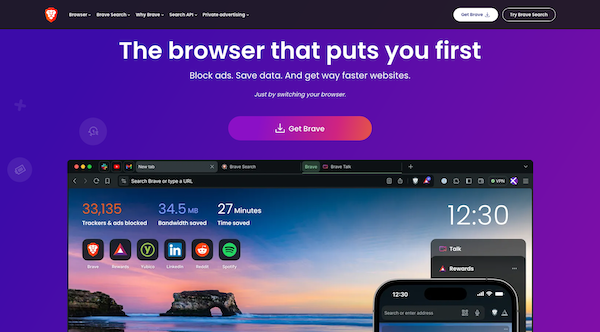
Built-in Ad Blocking: Brave Browser comes with built-in ad-blocking capabilities, enhancing browsing speed and reducing distractions caused by intrusive ads.
Privacy Features: Brave prioritizes your privacy by blocking trackers and third-party cookies by default. This reduces the risk of data tracking and profiling by advertisers and other entities.
Brave Shields: Everyone has granular control over their privacy settings with Brave Shields, allowing them to customize ad blocking, tracking prevention, script blocking, and more based on their preferences.
Brave Rewards: You can opt-in to Brave Rewards to earn Basic Attention Tokens (BAT) by viewing privacy-respecting ads. They can also use BAT to support content creators they admire, fostering a more sustainable and privacy-focused internet ecosystem.
Speed and Performance: Built on the Chromium engine, Brave Browser offers compatibility with a wide range of websites and applications. Additionally, its ad-blocking and tracking prevention features contribute to faster page load times and improved overall performance.
On Mobile Devices:
Cross-Platform Support: Brave Browser is available on mobile devices (iOS and Android), allowing you to sync your browsing data and preferences across different devices seamlessly.
Privacy and Security: Similar to its desktop counterpart, Brave Browser on mobile devices includes robust privacy and security features such as ad blocking, tracking prevention, and HTTPS Everywhere.
Enhanced Battery Life: By blocking ads and trackers, Brave Browser can help conserve battery life on mobile devices, as it reduces the processing power required to load and display web content.
Disadvantages of Using Brave Browser:
On Desktop Devices:
Compatibility Issues: While Brave Browser is built on the Chromium engine, which ensures compatibility with most websites and web applications, some users may encounter occasional compatibility issues with certain sites or services.
Learning Curve: Users transitioning from other browsers may experience a learning curve when familiarizing themselves with Brave Browser’s interface and settings, particularly when configuring advanced privacy features like Brave Shields.
On Mobile Devices:
Limited Integration: Some users may find that Brave Browser lacks integration with certain mobile apps or services compared to more mainstream browsers, which could impact the overall user experience for some individuals.
Syncing Challenges: While Brave Browser offers cross-platform support and syncing capabilities, some users may experience challenges syncing their browsing data and preferences across different devices, leading to inconsistencies in their browsing experience.
In summary, Brave Browser offers a range of advantages such as built-in ad blocking, robust privacy features, and cross-platform support, making it a compelling choice for users seeking a privacy-focused browsing experience.
However, users may encounter occasional compatibility issues and a learning curve when transitioning to Brave Browser, particularly on computers.
Similarly, while Brave Browser on mobile devices offers privacy and security benefits, users may face limitations in integration and syncing capabilities compared to more mainstream browsers.